
Calculate percentage increase and growth rates step by step. Learn the percentage change formula, price rise calculations, and profit growth examples.
Calculating shifts in values over time is a core skill in both business and general mathematics. Whether you are tracking retail sales growth, measuring rent increases, or analyzing your personal investment returns, knowing how to find the growth rate is essential. To evaluate these changes easily, using our percentage increase calculator is the most efficient choice.
Manual mathematics can lead to errors when converting decimal numbers to percentages. By understanding the percentage increase formula and using our percentage growth calculator, you can evaluate positive and negative fluctuations without any risk of error.
Understanding the Percent Increase Equation
To calculate percentage increase, you must compare the original value of an item against its new value. The percentage represents the ratio of the change relative to the initial value.
The calculation follows three basic steps. To apply this increase percentage formula, find the absolute difference, divide the change by the original value, and multiply the resulting decimal conversion by 100 to find the percentage rise calculator results.
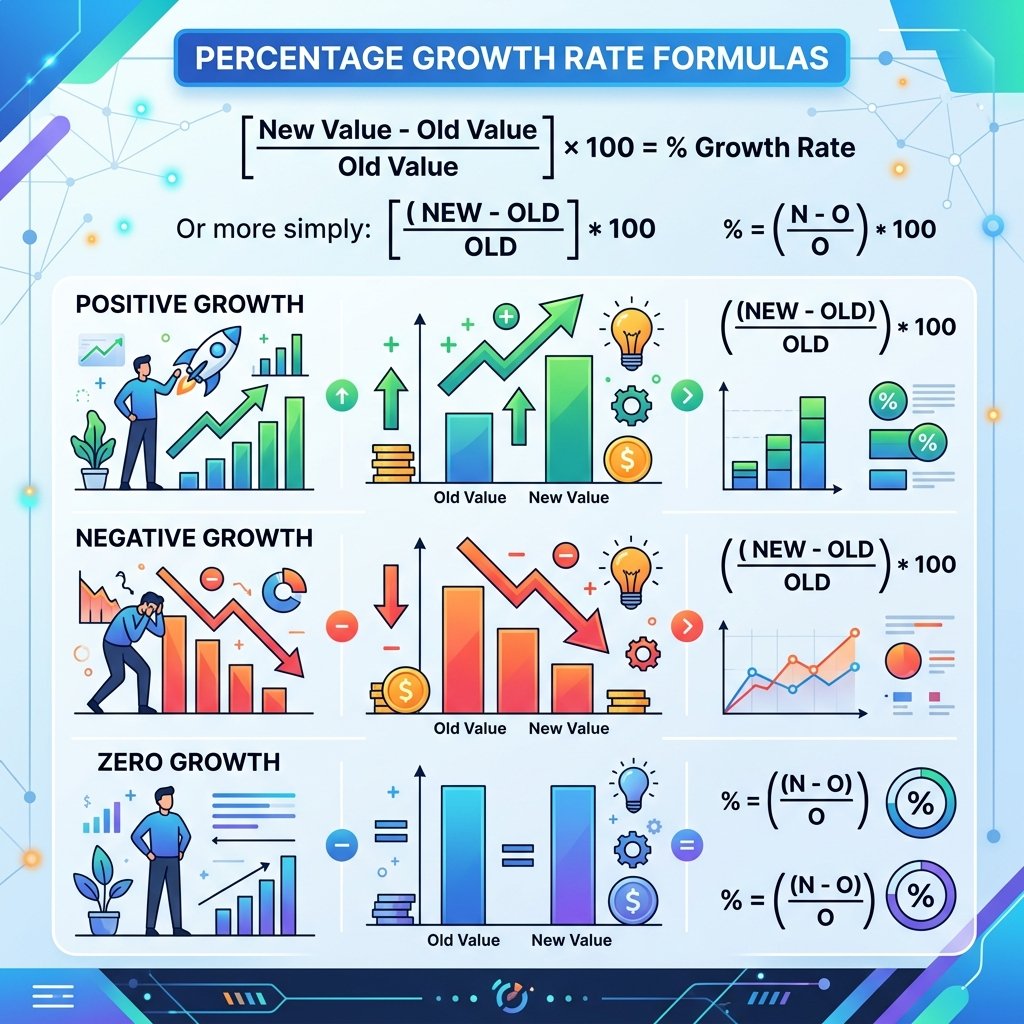
How to Calculate Percentage Increase: Step-by-Step
Let's walk through a practical business growth scenario to see the math in action. Suppose your monthly shop revenue was ₹2,00,000 (original value) last year, and it grew to ₹2,50,000 (new value) this year:
- Step 1: Find the absolute increase. Subtract the original value from the new value: ₹2,50,000 − ₹2,00,000 = ₹50,000 increase rate.
- Step 2: Divide by the original value. Divide the increase by the original number: ₹50,000 / ₹2,00,000 = 0.25.
- Step 3: Convert to a percentage. Multiply the decimal by 100: 0.25 × 100 = 25% percentage increment calculator results.
Percentage Growth vs. Percentage Decrease
Our percentage change calculator is designed to handle both positive growth and negative shifts. If the new value is lower than the original value, the result will be a percentage decrease. An online percentage gain calculator helps track investment shifts by detailing these positive and negative returns side-by-side.
Let's look at how value changes translate to growth percentages, using a standard percentage growth formula comparison sheet:
| Original Value | New Value | Absolute Change | Growth Direction | Calculated Change (%) |
|---|---|---|---|---|
| 100 | 120 | +20 | Increase | +20.0% |
| 150 | 180 | +30 | Increase | +20.0% |
| 200 | 150 | -50 | Decrease | -25.0% |
| 50 | 125 | +75 | Increase | +150.0% |
💡 Pro Tip: When using Excel to calculate percentage growth, make sure your cells are formatted as 'Percentage' so that the division result automatically renders as a percentage without multiplying by 100.
📈 Calculate percentage changes, growth rates, and variations instantly
Open Percentage Change Tool →Your calculation parameters are personal — keep them private
NordVPN protects your IP address and encrypts your browser activity. 67% off today.
📐 External Scientific References & Authoritative Sources
- Mathematical Association of America (MAA) — Statistical Averages, Ratios & Arithmetic Principles.
- NIST Digital Library of Mathematical Functions — Standard Mathematical Formulations & Algorithms.
- Wolfram MathWorld — Interactive Mathematical Formulas & Statistical Analysis Standards.
Frequently Asked Questions
💡 Key Takeaways
Calculating percentage increase and growth rates provides clear metrics for evaluating salary raises, product price inflation, investment returns, and annual revenue growth.